
Today we're launching Demand Comparison, a single place in the CloudX Dashboard and CloudX API to check how CloudX-mediated revenue, impressions, and eCPM line up against what your demand partners report.
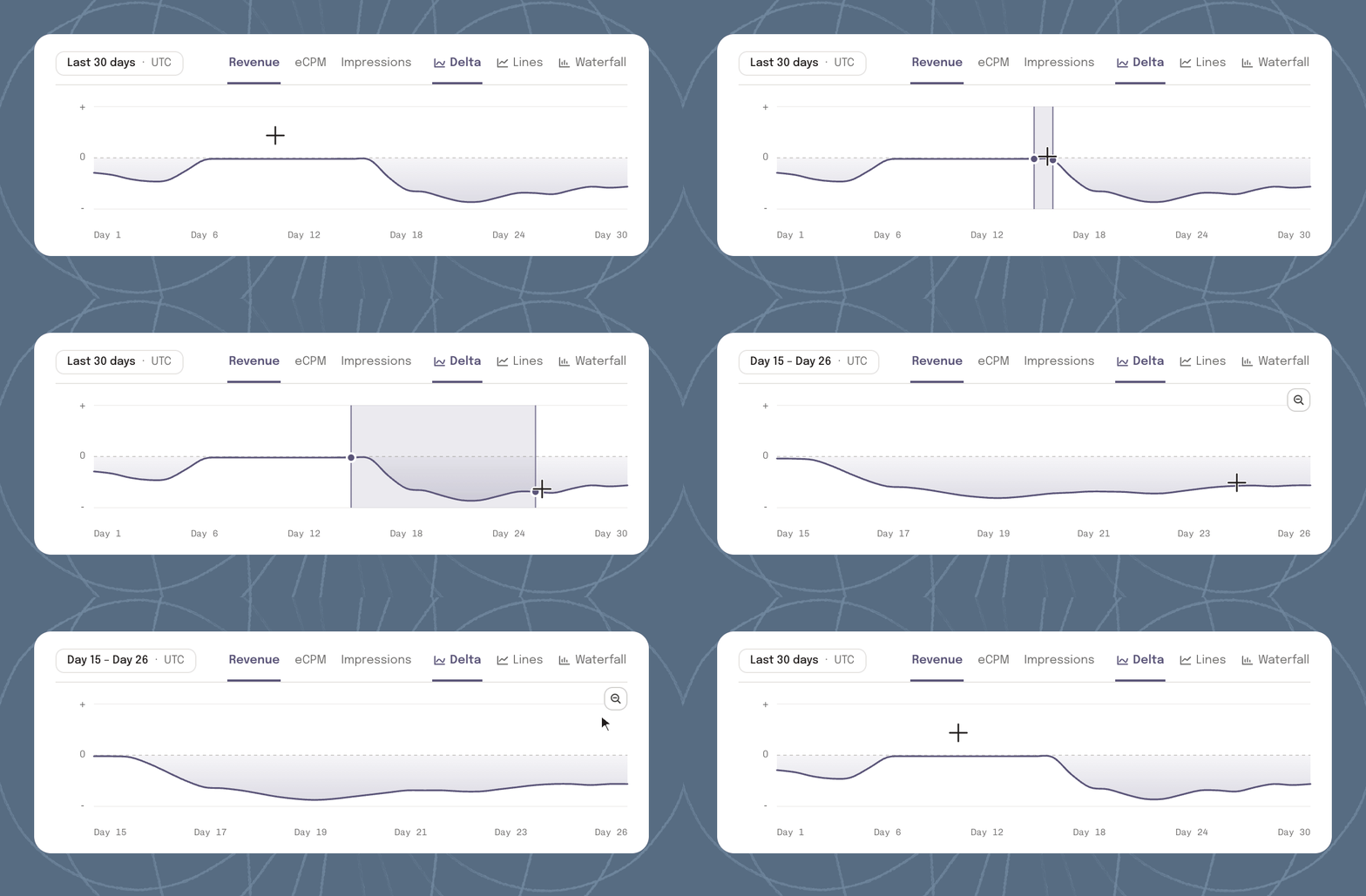
Every publisher wants to know that their mediation platform is recording revenue, impressions, and eCPM accurately compared to their bidder integrations. Checking that by hand means pulling daily CSVs from each demand partner portal, lining up UTC cutoffs, and matching external placement IDs in spreadsheets.
Demand Comparison pulls partner reporting directly into CloudX, matches it against CloudX delivery down to the ad unit, and shows where differences arise.
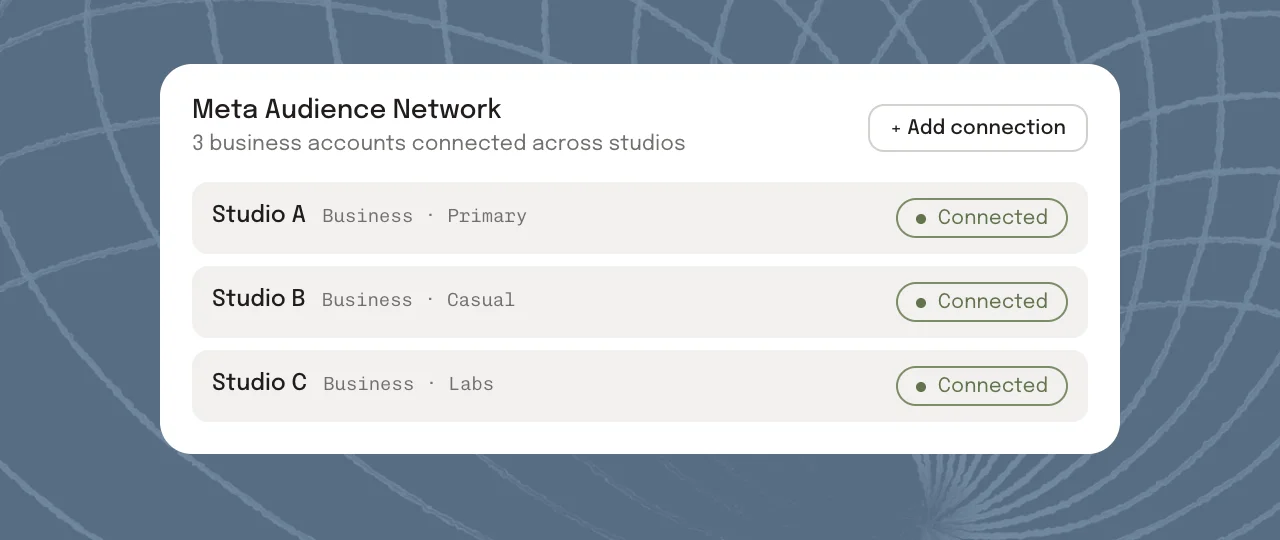
Connect multiple accounts across every studio
Publishers with more than one studio or business entity often run several accounts with the same partner.
In Data Sources, you can connect and label as many accounts as you run across your demand partners and mediation platforms. Demand Comparison brings all of those business accounts and properties into one view, and lets you filter down to a single business or property whenever you want to audit one studio on its own.
Spot where differences arise
Discrepancies rarely show up evenly across your entire portfolio. A gap usually starts on a specific day, inside one network, or on a single placement after a release or configuration change.
Demand Comparison lets you isolate that exact slice of inventory. Click and drag across any span of days to zoom into a specific time window, and filter by demand source, business account, property, or ad unit across revenue, eCPM, and impressions. You can narrow a portfolio-wide gap down to the day, integration, and placement where CloudX delivery and partner reporting diverged.
Matched at the ad-unit level
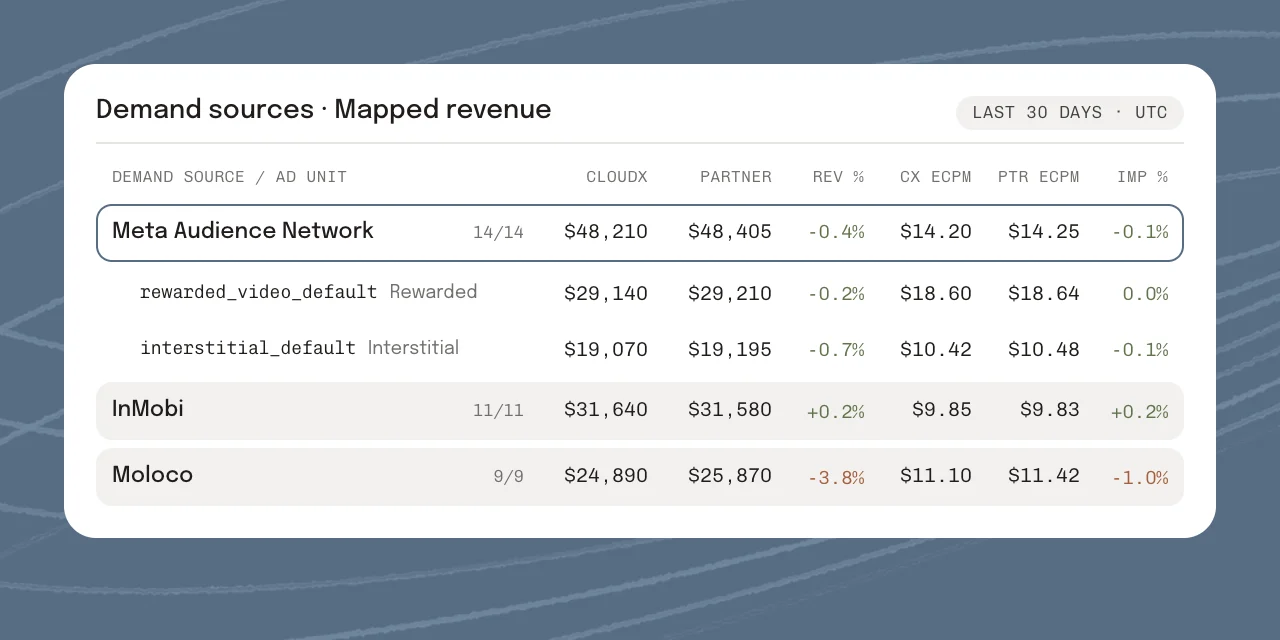
When you configure Network Mapping on a CloudX ad unit, you link it to the corresponding placement on the bidder side. Demand Comparison uses that link to pair CloudX delivery directly with what each partner reports for the same placement on a daily UTC grain.
Because the match happens at the placement level, you can see how CloudX and each demand partner line up on revenue, eCPM, and impressions for every mapped ad unit, rather than only comparing account-wide totals.
When a partner reports traffic on placements that aren't linked to a CloudX ad unit, or when a partner sync is still catching up for the latest day, Demand Comparison separates those rows and flags them directly so unmapped inventory never looks like a mediation discrepancy.
Integrate with CloudX's Demand Comparison API
If you want to integrate CloudX's matching of revenue, impressions, and eCPM against bidder integrations into your own reporting or BI warehouse, the same dataset is available through the CloudX API. Both endpoints accept the same filters as the dashboard, including demand source, provider business ID, provider property ID, and CloudX ad unit ID:
report/demand-comparison: demand-source summaries and daily time series.report/demand-comparison/ad-units: partner and CloudX ad-unit breakdowns.
curl -G "https://api.cloudx.io/api/v1/report/demand-comparison" \-H "Authorization: Bearer $CLOUDX_API_KEY" \--data-urlencode "start_time=1761523200" \--data-urlencode "end_time=1764115200" \--data-urlencode "demand_source=meta" \--data-urlencode "demand_source=inmobi"
Getting started
Demand Comparison is available in the CloudX Dashboard. Connect your partner accounts in Data Sources, then open Demand Comparison to review your inventory. See the Demand Comparison docs for setup details.
API reference:
Questions and requests: hello@cloudx.io.

