
Introducing Tasks
Sanja Zakovska
Monday morning at most publishers starts the same way. Someone opens the dashboard to find out what happened to revenue over the weekend, and then spends the next hour working out why. Later in the week someone else on their team will look at floors against clearing prices and nudge the ones that drifted. They'll check whether the A/B test that started ten days ago has finished.
None of this is hard. All of it is recurring, and all of it depends on a person remembering to look. In most publishing teams that person is also the one shipping the next update, so the checks happen when there's time, which means they happen less often than they should.
Since we launched CloudX Agent, publishers have been using it for exactly this kind of work. The prompts publishers reuse most are the ones they'd rather not type again. So we made them recurring.
Today we're launching Tasks, a way for CloudX Agent to take on the work that has to happen on a schedule.
Describe the task once, pick when the task runs, and choose where the results go. Each run, the agent works from your live auction data, line items, floors, and experiments, decides what's worth telling you, and sends it to the in-app chat or by email.
How Tasks work
Describe the job. Write it the way you'd ask the agent in chat. "Summarize last week's revenue, fill and eCPM by app. Flag anything that moved more than 10% and explain why."
Pick when it runs. Daily, weekly, monthly, at a time and timezone you choose. Or start from one of the templates (weekly report, daily health check, A/B test analyzer, total revenue analysis) and edit from there.
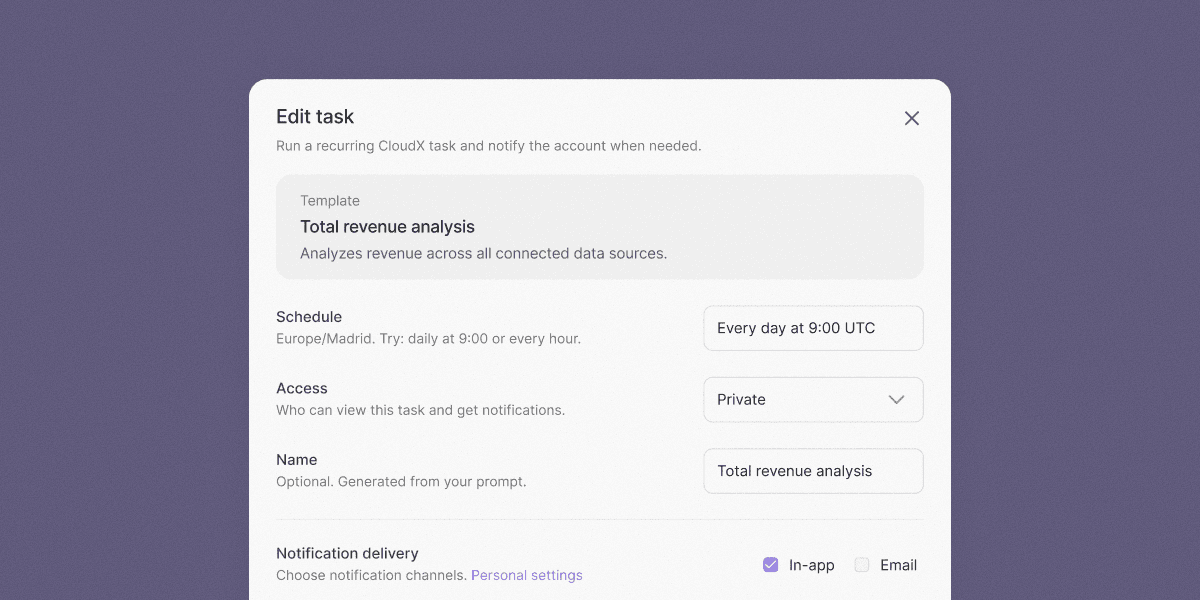
Choose who can see it. New tasks are private by default, visible only to you. Share one with your organization when you are ready, and every member gets access to the task, its run history, and its notifications. Any organization Editor can edit it, and each person controls their own email alerts, so anyone can turn them off entirely and stick to the in-app feed.
Only hear about what matters. By default, CloudX Agent decides for itself whether a run is worth flagging, so recurring checks don't fill your inbox when there are no noteworthy updates. Prefer to hear from every run instead? Turn off Smart Notifications on any task and you'll get an alert every time the agent runs the task.
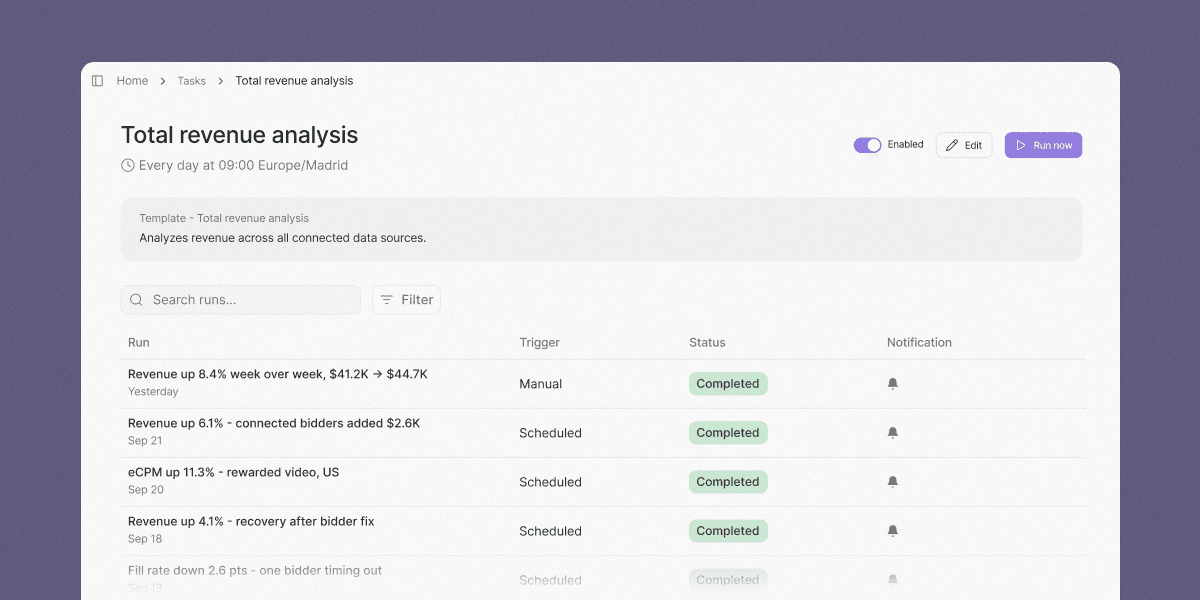
Review at any time. Every task run is logged. You can open any run, see what the agent looked at and what it concluded, and continue the conversation from there.
From Claude Code and the CLI
Tasks for CloudX Agent are also available through the CloudX MCP server and the CLI. If you already manage inventory from Codex, Claude Code, or a terminal, you can create and manage tasks from there too.
1cloudx tasks create \2 --name "Weekly revenue review" \3 --prompt "Review weekly revenue and flag material changes" \4 --schedule "0 9 * * 1" \5 --timezone Europe/Madrid \6 --access workspace
Tasks publishers are automating
Here are some of the favorite tasks publishers have been automating.
You can find more examples in the task library, or pick one of the templates when setting up a new task in the CloudX dashboard.
Getting started
Tasks are available today in limited free preview. Open CloudX Agent, pick Tasks in the sidebar, and start from a template or a blank prompt.
Docs: docs.cloudx.io. Questions and requests: hello@cloudx.io.